Screenwriting.ai is a writing room and a small film studio in one place. This guide follows one story, The Night Station, from a one-line idea to a short film. The other help pages use the same story, so you can follow along from page to page.
The workspace at a glance
| Area | What it's for | Paid with |
|---|---|---|
| Dashboard | Your recent work and where you left off | Free |
| Projects | One story taken from the first idea to the screenplay and the film | Free |
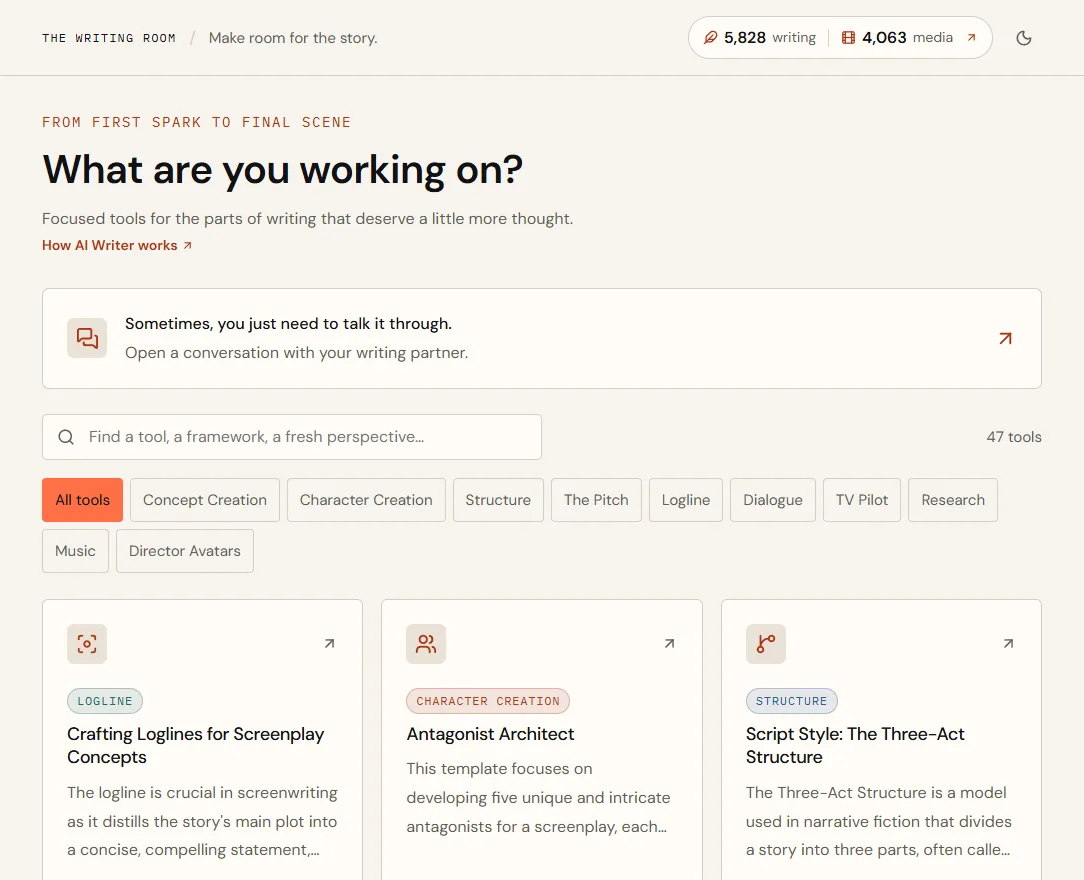
| AI Writer | Focused tools that turn a short brief into a developed document | Writing credits |
| Screenplays | The script itself, in screenplay format, with PDF, Fountain and Final Draft files | Free |
| Director Avatars | Conversations with the Director Avatars and the Screenwriting Expert | Writing credits |
| Library | Documents, conversations, images, clips and imported files | Free |
| Movie Studio | Images, Storyboards, Clips and the Film Editor | Media credits (film exports are free) |
| Plan & Credits | Your plan, balances, credit packs and invoices | Free |
The two numbers at the top of every page are your balances: writing credits and media credits. Select them to open Plan & Credits.
Your first story in seven steps
- Find the loglineOpen AI Writer, choose Crafting Loglines for Screenplay Concepts, pick a genre, describe your idea in two or three sentences and choose Develop this idea.
- Read and editThe result opens as a document in your Library. Edit it like any document; it saves as you type.
- Talk it throughThe writing partner beside the document has read it. Ask it to challenge the central idea or strengthen the conflict.
- Go deeperRun more tools: Character Canvas for your lead, Script Style: The Three-Act Structure for the shape of the story. Each creates its own document.
- Find the lookIn the sidebar, under Movie Studio, choose Images and create stills of your lead and your key location.
- Plan the shotsAdd the stills to a storyboard, write what each frame shows, then choose Animate to turn a frame into video.
- Cut the filmChoose Open in the Film Editor, trim the takes, add music and choose Export MP4. Your films stay under Film Editor in the sidebar.
- Idea
- A night-shift radio operator at a remote coastal station starts receiving distress calls from a fishing boat that sank thirty years ago.
- Logline
- Crafting Loglines for Screenplay Concepts, genre Thriller
- Lead character
- Character Canvas: Mara Quinn, 47, the station's last operator
- Structure
- Script Style: The Three-Act Structure
- Images
- Mara at the console · the station in a storm · a lifebuoy on the rocks
- Storyboard
- Four frames, one clip made from each
- Film
- Four shots, 49 seconds, exported as a 1080p MP4
Your free trial
New accounts with a verified email get 40 writing credits to try the AI Writer and chats, with no card required. Trial credits expire after 14 days and are given once per email address.
Light and dark
Switch between light and dark with the sun or moon button at the top right of any page, or under Account → Appearance.
Quick answers
What can I do here?
Develop a story from first idea to finished short film: write with focused AI tools, talk it through with writing partners, create images and video clips, plan shots on a storyboard and cut them into one MP4.
Is there a free trial?
Yes. New accounts with a verified email get 40 writing credits that last 14 days, with no card required. When you're ready, choose a plan on Plan & Credits.