Each AI Writer tool does one job well: a logline, an antagonist, a three-act outline, a pitch. You give it a short brief; it gives you an editable document and a writing partner who has read it.
Find the right tool
Filter by category at the top of the AI Writer page, or search by name. Some good starting points:
| If you want to… | Try |
|---|---|
| Find the one-sentence core of your story | Crafting Loglines for Screenplay Concepts |
| See several different directions for an idea | Creative Reels |
| Build a lead character with depth | Character Canvas |
| Design adversaries worth fearing | Antagonist Architect (five antagonists) |
| Shape the whole story | Script Style: The Three-Act Structure, or a framework such as Save the Cat! or the Story Circle |
| Sharpen the dialogue in a scene | Dialogue Dynamics |
| Lift a flat scene | Script Scene Enhancer |
| Prepare to pitch | Hollywood Pitch Formula |
| Plan a series | TV Series Blueprint (eight sections) |
| See your story through a director's eyes | Director Avatars, such as Alfred Hitchcock Avatar: an outline in that director's style |
Write a brief that works
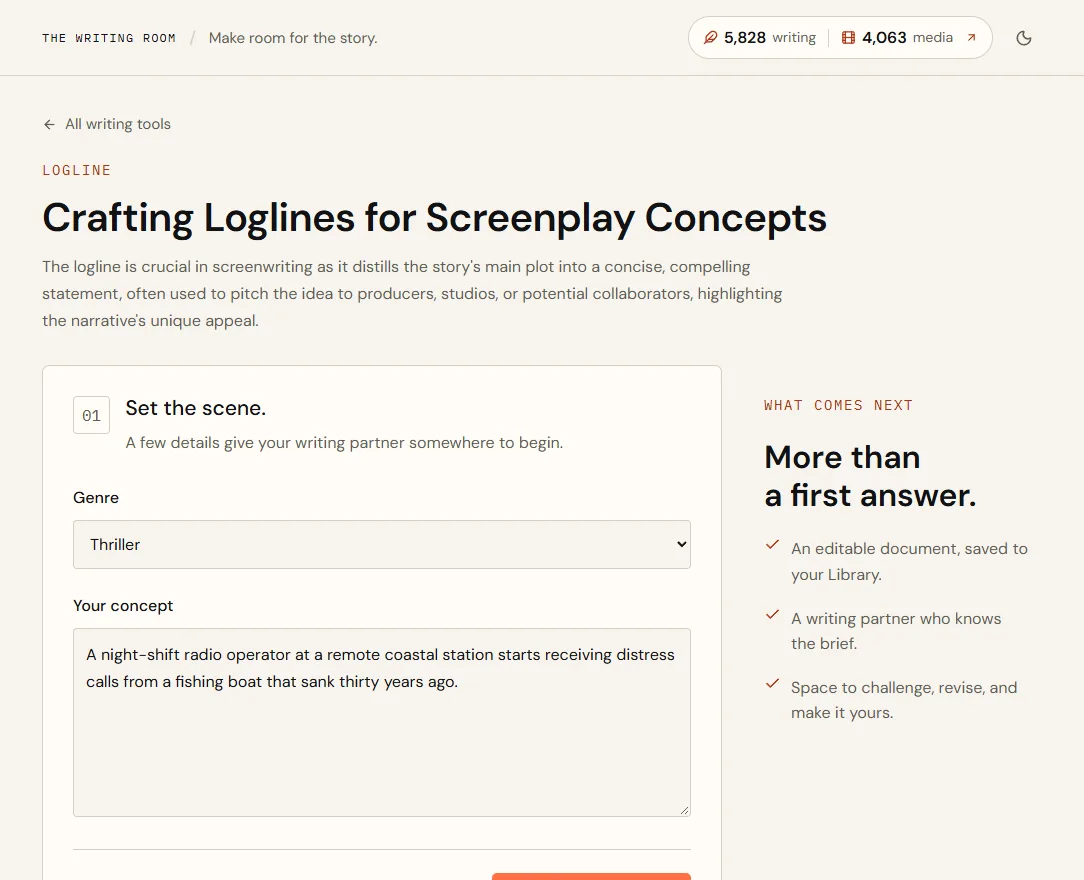
- Choose a genrePick the closest match. It sets the conventions the tool writes toward.
- Describe your conceptTwo to four sentences: who it's about, what they want, what stands in the way and what makes it unusual.
- Add story context (optional)Character tools offer Add more story context for the protagonist, their goal and an emotional wound.
- Choose Develop this ideaYour document is created and opens straight away, and the tool starts writing into it.
- Vague
- A scary story about a radio.
- Strong
- A night-shift radio operator at a remote coastal station starts receiving distress calls from a fishing boat that sank thirty years ago. She is the only one who can hear them, and the station closes in a week.
The strong brief names a character, a situation, a deadline and a question the story has to answer. The tool has far more to work with, so the result is sharper and needs less rewriting.
- Genre
- Thriller
- Your concept
- The strong brief above
- Protagonist
- Mara Quinn, 47, the station's last operator
- Their goal
- Keep the station open long enough to find out who is calling
- Emotional wound
- Her father was a deckhand on the Saint Brigid and was never found
The wound gives the tool a reason Mara can't walk away. Expect a character profile built around that conflict, ready for you to edit.
What a run costs
Every tool run starts at 5 credits. While it runs, the most it could cost is held from your balance; when it finishes you pay for what the AI actually used, and the rest is released straight back.
- Balance before
- 600 writing credits
- Held while it runs
- Up to 30 credits
- Actually used
- 12 credits
- Balance after
- 588 writing credits
The numbers are an illustration; your screen always shows the real ones. Longer briefs, and tools that write more sections, use more.
After you start a run
- The draft appears as it's written, section by section, and the page follows it down.
- When it's done, it opens as a document in your Library with a writing partner beside it. The result is version 1.
- You can leave the page. The run keeps going, and the document is there when you come back.
- To stop a run, choose Stop generation.
- Running the tool again on the same document gives you an alternate draft to compare. See Documents and versions.
Limits
- Text boxes take up to 16,000 characters, one-line fields up to 1,000, and the whole brief up to 30,000.
- You can run two writing generations at a time.
Quick answers
What does a tool run cost?
From 5 credits. You pay for what the AI actually uses, up to the amount held when the run starts. Failed runs are free.
Can I leave the page while it writes?
Yes. The run continues and the document is in your Library when it's done.
Can I run a tool twice on the same idea?
Yes. Use Develop another draft in the document for an alternate version you can compare, use or save separately.